Have you ever emptied the Trash on your Apple Mac only to discover sometime later that you needed a deleted file that was in there? There is a clever way to recover deleted files even after emptying the Trash. Recover lost files!
Microsoft has great software for the Apple Mac and in some ways, OneDrive is more useful online storage than Apple iCloud. If you aren't using it, you are missing out on top features.
How many online office suites can you name that are free and that work on all computers in a web browser? Most people can name Microsoft Office and Google Docs, maybe Zoho too. There is another and it’s brilliant!
If you want to keep your email account junk free and avoid giving it out to websites and services, create an alias. Here’s how to create an iCloud Mail alias to avoid spam and junk mail.
When online storage is mentioned the companies that spring to mind are Microsoft, Google and Dropbox, but there are others and Box for example, has 41 million users. Here's how to join them.
Make remote storage like Google Drive, Microsoft OneDrive and Dropbox as easy to use as local storage on the Apple Mac using CloudMounter, a useful free app from the Mac App Store.
The Calendar app on the Apple Mac can be used to access calendars on iCloud or stored locally on the disk. There are pros and cons of each type of calendar. Let's take a look at the differences.
There are junk files and folders cluttering up your iCloud storage and they may be using valuable space. However, they are hidden and are not obvious. Let's see how to make them visible and to remove them.
If you use iCloud Drive to store files and need to access them quickly there are several ways to make it slightly easier and a tiny bit quicker. Add quick access icons to Finder and Dock.
There are many online storage services, including iCloud, Dropbox, OneDrive, Google Drive, Box and others. After using Google Drive for years, I'm switching to OneDrive - here's why.
There have been many video file formats over the year and some odd ones on certain devices. If you have unplayable videos on your Mac, KeepVid is a free online tool that can make them playable.
Apple says that iCloud is not an online drive, even though you can store files on it. There are significant differences between iCloud and Google Drive for example. Here’s what you need to know.
When you think of office software, Microsoft Word springs to mind, quickly followed by Google Docs. What about Zoho though? Writer is one of many free apps from Zoho and it is just 2MB!
I recently looked at the new facility in macOS High Sierra that enables you to share files on iCloud. Can you access the sharing features on the iCloud website with just a web browser? Yes!
If you have an Apple Mac and use macOS High Sierra, there is a great feature in it that enables you to share iCloud files privately with people you choose or publicly with the whole world.
Is Apple iCloud safe enough to backup all my photos and music or should I rely on other services? Sean Westbrook delves into this hot topic and offers advice for those trusting Apple.
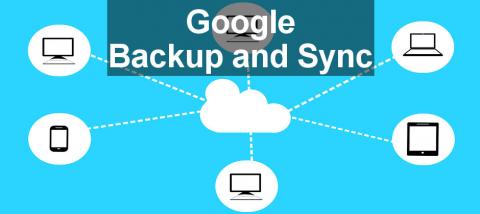
If you use Google Drive on a Mac, here’s how to upgrade it to Google Backup and Sync. There are new features in the updated app that make the online storage even more useful than before.
Apple Macs and Windows PCs are very different computers and if you need to share files between them, how do you go about it? It turns out not to be that hard. Here are your options.
Using a cloud storage service means handing over your files to someone else. If this makes you uncomfortable, the solution is to create your own cloud service using your own computer. Here’s how.
Do you know where your photos are stored on the Mac? Can you find photos on your MacBook or iMac? How do you back them up? It is not as simple as it seems and there are pitfalls to catch you out.



















 Big savings on tech deals...