Is your Mac secure? What are you doing to ensure its security? Here are 15 different ways to improve the Mac’s security and all are are simple and free. Stay safe with these expert tips.
Around 86% of all email is junk mail or spam as it is often called. That is 400 billion spam messages every single day. If it seems like they are all landing in your inbox, here’s what to do.
How do you read PDF files on the Mac? Do you use the Preview app? It is the obvious choice, but there is an alternative that in some ways better. Use Safari’s secret PDF viewing features!
Chrome is a great web browser, but it can be a real memory hog if it is not configured correctly. This can slow down the browser and slow down the Apple Mac. Here’s how to speed it both the browser and Mac.
It seems that everything on the internet requires a password these days and it is hard to keep track of them. Avast Passwords is a free (for now) Mac tool that can do the job for you.
Google Keep is a great app for storing notes and some people prefer it to the Notes Mac app. This guide shows how you can run it on the desktop like a regular Mac app. It is much more convenient.
Do you have files on your Mac’s disk that you want to keep private? Encrypt them! Use the openssl command line tool in Terminal to make sure no-one can access them. They’re safe for emailing too.
Do you have problems with Chrome running on macOS or OS X? Just use Safari! No, seriously though, you can fix Google Chrome problems with the tips here and get your favourite browser working again.
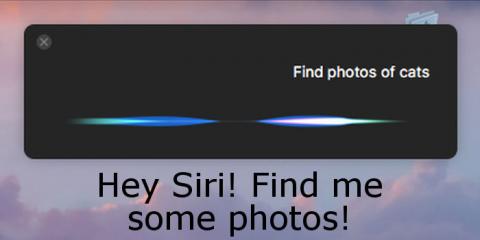
The introduction of Siri to the Apple Mac in macOS Sierra has opened up some interesting uses that were previously not available. For example, Siri can find photos for various uses, such as in email.
Your internet connection needs to be secure for many online activities, but sometimes it is not, such as when using public Wi-Fi hotspots. Avira Phantom VPN connection makes sure no-one can spy on you.
By combining two useful features on the Apple Mac, you can view clean ad-free web pages and sit back and have the Mac read them out loud to you. It is the lazy way to browse the web, but it is fun!
There is a brand new feature in macOS Sierra that stores all your files on iCloud. At first it seems great, but is it really a good idea? What happens if you turn off this feature? You may be surprised!
One of the many new features in macOS Sierra is Optimised Storage and the ability to access files from any computer, phone or tablet through iCloud. Here’s how to avoid a potential problem.
The search facility in Mail in macOS (OS X) helps you to find email messages quickly and easily, but do you know all the tricks and secrets to get the results you want? Here are some little known search tips.
You can let OS X (soon to be macOS) handle all updates automatically or you can choose to take control what is installed, when it is installed, and hide updates you don’t want. Here’s how to do it.
For some people, 90% of the email messages they receive are trash and junk. How do you deal with them using Mail on the Apple Mac? Learn the useful settings that make life easier.
How many online office suites can you name that are free and that work on all computers in a web browser? Most people can name Microsoft Office and Google Docs, maybe Zoho too. There is another and it’s brilliant!
Viruses, Trojans, spyware and other types of malware are to be found on the internet, but the internet also provides means to protect your Mac. Use VirusTotal to stay safe.
Do you spend far too long writing and replying to emails every day? Speed up the task and deal with them much faster by creating smart responses that save time and effort. Step-by-step guide.
If you have a website of your own or if you write for another website, or even if you are just curious, you can see how the site looks on any device. It is a secret feature of Safari on the Mac.















 Get
Get 


 Sign up
 Join
Join