Do you use the language features of Pages, Apple’s word processor and part of the iWork suite of office applications? If you have been confused, take control and use the language you want.
How many online office suites can you name that are free and that work on all computers in a web browser? Most people can name Microsoft Office and Google Docs, maybe Zoho too. There is another and it’s brilliant!
Microsoft OneNote has been available for free in the Mac App Store for some time. It is a great app and is more powerful than Apple Notes. Level up your note-taking with this Mac app.
PDFs have become a standard file file format that is widely used and supported. Add the PDF Printer app to your Apple Mac and use it to print wirelessly to PDF files from any device.
Sometimes you don't want to be disturbed by emails, such as on a trip or holiday, but constant emails can spoil it. Create an auto-responder in the Mail app to send automated replies.
Text expanders are very useful tools for people that spend a lot of time on their Mac typing the same words and phrases in emails and documents. PhraseExpress is a great time saver.
The Calendar app on the Apple Mac can be used to access calendars on iCloud or stored locally on the disk. There are pros and cons of each type of calendar. Let's take a look at the differences.
There is no shortage of note taking apps and the Apple Mac comes with a great one built in. However, there are some fantastic alternatives and Agenda is one you should definitely consider.
When you think of office software, Microsoft Word springs to mind, quickly followed by Google Docs. What about Zoho though? Writer is one of many free apps from Zoho and it is just 2MB!
If you use the Trello organiser in a browser, try the Mac app instead. It has all the same features as the web app, but it does without the browser clutter. Organise your tasks and projects.
Be Focused is what might be called the offspring of the Pomodoro technique and a To-Do list manager. It enables you to work more efficiently and make better use of your time, while tracking tasks.
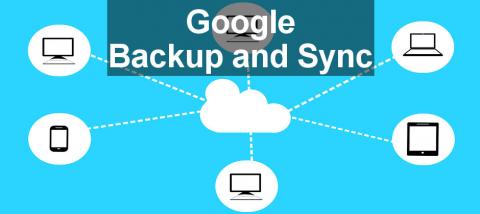
If you use Google Drive on a Mac, here’s how to upgrade it to Google Backup and Sync. There are new features in the updated app that make the online storage even more useful than before.
The Calendar app on the Apple Mac is a useful tool and if you are a heavy user you might want to take a look at a simple free utility that makes it even more useful. Itsycal is a great add-on.
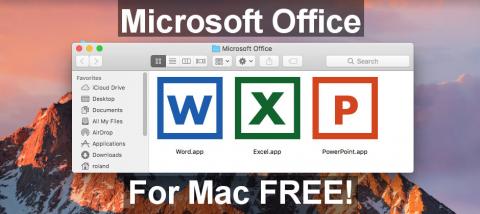
Microsoft Office has some excellent applications like Word, Excel, PowerPoint, OneNote and several more. But why pay for them when you can get them for free? Here’s what you need to do.
Apple’s office suite - Pages, Numbers and Keynote - are huge apps that are getting bigger with each update. If you have a low end Mac with a small disk, here are lightweight alternatives.
When you have several email accounts set up in the Mail app on the Apple Mac, there are several shortcuts for choosing which account email is sent from. Do you know them all?
Apple Pages on the Mac has a great feature that enables you to create bookmarks in documents that let the reader quickly jump to new sections. Here’s how to use Bookmarks in Pages.
The clipboard is an incredibly useful feature of macOS, so why is there only one? Here are 6 free clipboard managers for macOS that enable you to store up dozens of items on the clipboard.
Have you ever had a PDF file that you wanted to edit? Maybe you want to make changes or use some of the content in your own documents. Here’s how to turn PDFs into Pages and Word documents.
Siri in macOS enables you to perform all manner of tasks just by speaking to your Apple Mac, but did you know that you can speak your Calendar appointments in any version of OS X without Siri?











 Big savings on tech deals...