What is the most used feature on your Apple Mac? Could it be the clipboard? Power up the macOS clipboard with a handy utility to manage multiple items and access the clipboard history.
MacOS looks simple compared to Windows. Take uninstalling apps for example, you drag them to the Trash, right? Wrong! That leaves junk on the disk. Here is the right way to remove apps.
Microsoft has great software for the Apple Mac and in some ways, OneDrive is more useful online storage than Apple iCloud. If you aren't using it, you are missing out on top features.
Most apps on the Apple Mac are in the Applications folder, but did you know that there are multiple Applications folders and that some apps are hidden? Here is how to access these tools.
The Mac has many fantastic features and the ability to customise the menu bar by adding extra items is one of them. XMenu is a useful addition that provides some much needed features.
We all face increasing workloads and busy social lives, so if you are not managing to get everything done that needs doing, use these 4 Safari extensions to increase your productivity.
Many websites are updated frequently, sometimes daily, and if you are missing out on great web articles, subscribe to RSS feeds on your Apple Mac to keep up with all the great new content.
Do you know the answer to these questions: How many days until the end of the month? Your next holiday? Your birthday or another event? No? You need a count down widget on your Apple Mac.
Some apps on the Apple Mac automatically start when you log in, even after deleting them. They slow down startup and affect memory and performance. Stop unwanted ones to speed up your Mac.
When you are working on your Mac or browsing the web, you often need to store bits of information. One way is with Apple Notes or Stickies, but Google Keep on the desktop offers advantages (updated).
Apple MacBook base models have limited storage space and it is easy to fill small drives. Some MacBooks have 128 GB SSDs, which can cause serious space problems. Find and clean space hogs.
Temporary files, caches, cookies, browser and app histories - there is a lot of personal and revealing information on your Apple Mac that is not strictly necessary. Can CCleaner erase it?
Over time, disk drives SSDs and thumb drives accumulate junk files and these consume valuable space that could be used for more useful purposes. CleanMyDrive 2 keeps them clean and junk-free.
What is the best battery monitor for MacBook Pro? If you have had your computer for a couple of years, how worn is the battery? Is it becoming weaker with age. These apps show you.
Disk drives come in all sizes and some Apple MacBooks have quite small solid state drives drives. If you have an SSD, it could be nearly full and the utilities here monitor free/used space.
What is going on under the surface of the Mac's graphical interface? Is it working hard or idling, downloading or uploading, hot or cool? Monitor the hardware and software with MiniUsage.
Apple Macs are normally very reliable, but like all computers they do occasionally experience problems. Finding the cause is not always easy but macOS tools and third party utilities help.
Some people have found that after upgrading to the latest version of macOS on their Apple Mac, it runs more slowly than it used to. Why does this happen and what can you do about it?
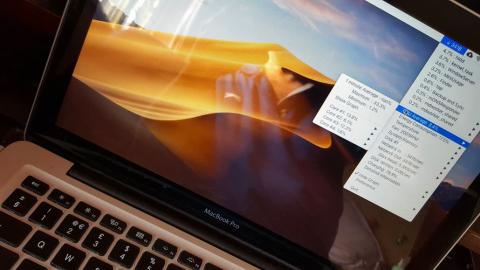
If your Mac is running slowly, you want to know why and adding MenuMeters to the menu bar enables you to monitor system resources at a glance. See CPU, memory, internet and other stats.
Microsoft OneNote has been available for free in the Mac App Store for some time. It is a great app and is more powerful than Apple Notes. Level up your note-taking with this Mac app.












 Big savings on tech deals...