It is easy to accidentally duplicate photos and waste space on the disk. You might even have several gigabytes worth clogging up the system. Use this utility to find them and delete them.
iCloud is built into macOS and is part of the system. So is the Photos app for managing your photo collection. Did you know that all your photos are on the web? Here’s how to access them.
Photos does a great job of organising your digital photos and thanks to iCloud on the Mac and iPhone, you don't need to transfer them anymore. They sync, but where does Photos store them?
When you need to resize a photo or image for printing or the web, there are several options and the wrong one can ruin it. Should you resample or resize in Preview or other photo editor?
The Apple Mac can play videos, but there are alternative video players that support a wider range of file formats and provide more features and and smarter interface. Here are the best. Sponsored post
The Mac's Photos app has useful editing facilities for enhancing photographs, fixing faults like brightness, saturation, contrast and so on. Here's how to edit multiple photos in batches.
You want to show off your photos on the web or social sites but don't want people to steal them. What can you do? Watermark them! PhotoBulk is a handy macOS utility that makes the task easier.
Wouldn't it be great if you could put together a combination of photos and videos and then show them off on the big screen TV in your lounge? PhotoVideoCollage enables you to do just that.
Do you have photos stored in your Apple Photos library that you would rather not see or don't want others to see? How can you hide them without actually removing them from Photos? Here's how.
Not everyone likes iTunes and while it is very simple, some people say it tries to do too much and has become bloated. AnyTrans is an alternative that gives you more control and features.
Noise Reducer Pro is a great tool for reducing the amount of noise or grain in photographs taken in low light levels. It makes photos clearer and runs on the Mac, iOS, Android and PC.
Composure is a free photo editor for macOS that enables you to create attractive collages and have fun with your photos by adding text and stickers. Print or share them online. App review.
QuickTime Player on the Apple Mac is a useful tool for viewing video clips, but it can do a lot more. For some tasks you might prefer it to iMovie. Take a look at these editing functions.
Are you using PhotoScape X on your Apple Mac? If the answer is no, you are missing out on one of the best free photo editing apps available. Here a quick overview of what you are missing.
There are many places to share your photos on the web, such as social media, your blog or website. Each has an optimum size for best results and Preview on the Apple Mac can prepare your photos.
Do you know where your photos are stored on the Mac? Can you find photos on your MacBook or iMac? How do you back them up? It is not as simple as it seems and there are pitfalls to catch you out.
Would you like to know who is using your Mac at home or work? Want to watch your pets at home or see the office at work? You can, just by using the Mac’s built in camera and your phone.
If your photos are dull and lifeless, Polarr Photo Editor for the Mac can make them look exciting with special effects, editing tools, filters, face detection and more. It is a brilliant tool!
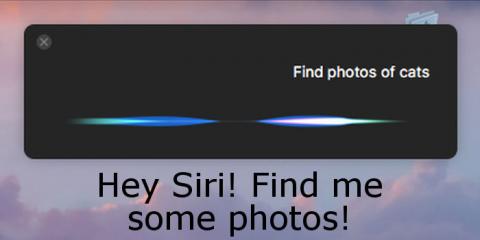
The introduction of Siri to the Apple Mac in macOS Sierra has opened up some interesting uses that were previously not available. For example, Siri can find photos for various uses, such as in email.
The Photos app in macOS Sierra is often updated and improved. Changes in the last year have introduced a much better search facility that is more powerful and can even tell what is in your photos. What can it find?

















 Big savings on tech deals...