
A news story broke this week about lots of Twitter accounts being hacked and messages posted on people’s accounts. However, it is not what it seems. You can be hacked without being hacked!
Private browsing at last! Work, stream and play online on up to 6 devices - PC, Mac, iPhone, Android and more. Save up to 70% with NordVPN.
There were lots of reports of Turkish messages, swastikas and hashtags about Nazi Germany and Nazi Holland on many top Twitter accounts. It was quite a widespread attack.
At first sight, it looked like they had their Twitter accounts hacked and that someone had gained access to them and took them over to post the messages. They had not been hacked.
Other parties can access your Twitter, Facebook, LinkedIn and other accounts, and many can post messages. In fact, you agreed to let them.
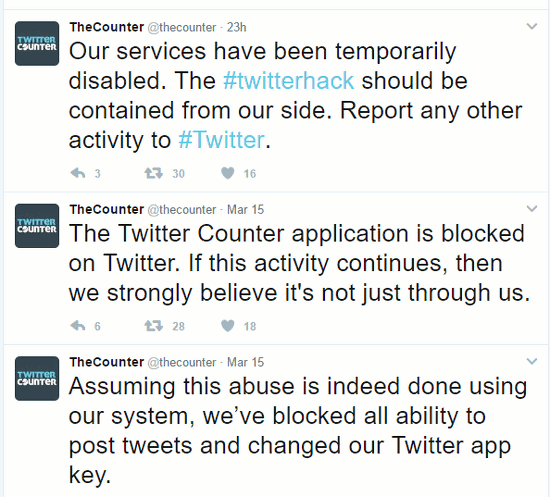
What had happened was that a third party service had been compromised. It happened to be called TwitterCounter, but it could have been any number of services or apps.
How often have you signed into a website, a web service, an app on your computer or phone with Facebook, Twitter or Google? It is a convenient way to log in.
A message pops up asking you to authorise access to your social media account, and sometimes it requests to post on your behalf. Game apps for example, might want to have permission to post so they can share your game achievements with your friends.
There are also services that enable you to manage, analyse and gather all your social media accounts into one place. One app or website instead of multiple services. They might offer scheduled posting to social media, or they read your Twitter follower list and tell you who hasn’t posted anything for six months, or who never followed you back when you followed them.
There are many apps and services that have access to your account and they can post updates as you. If one of those services is hacked, they can post anything they like and it looks like it is from you.
This looks like it happened to TwitterCounter and that service had a security problem which allowed someone to then use it to post on Twitter under other users accounts.
Your Twitter, Facebook, LinkedIn accounts may be secure and not compromised at all, but third party apps with permission to post as you can be hacked and the end result is the same - a defaced home feed and images and messages you definitely do not want to be associated with.
What can you do? Review and revoke app permissions.
Review Twitter app permissions
- Go to Twitter on the web.
- Click your profile picture to display a menu
- Select Settings and Privacy
- Select Apps in the sidebar
A list of apps with permission to access your Twitter account is displayed and there is a Revoke access button next to each one.
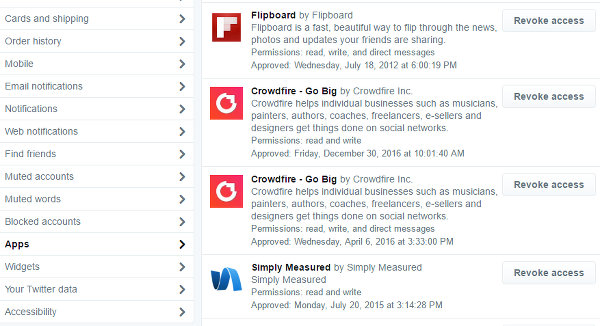
Go through the list and revoke access to anything you are not currently using. This will help to minimise the risk. Don’t leave apps with permission to access you account that you once had on your phone or computer, but deleted a long time ago.
Review Facebook app permissions
- Go to Facebook on the web and click the down arrow in the top right corner to display the menu
- Select Settings
- Select Apps on the left
- Click Show All
This shows all the apps that have access to your Facebook account. some might only be able to read information in your account, but some will be able to post as you.
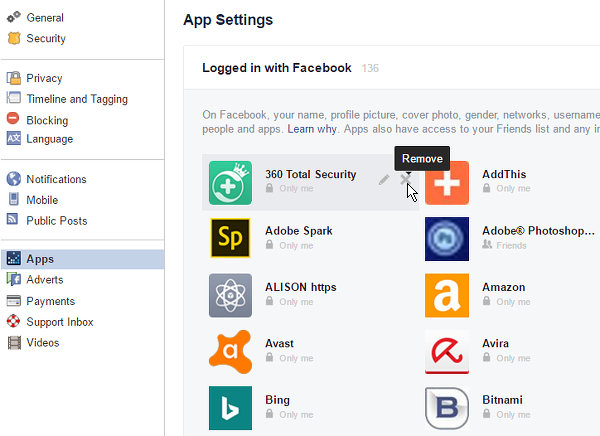
Move the mouse over each one and if you no longer need it, click the cross icon to remove it. Don’t leave apps there that are never used. Minimising the apps that can access you account minimises the security risk.
Review LinkedIn permissions
- Go to LinkedIn on the web and click the Me button in the menu bar at the top.
- Click Settings & Privacy
- Select Third Parties in the sidebar
- Click Third Party Apps
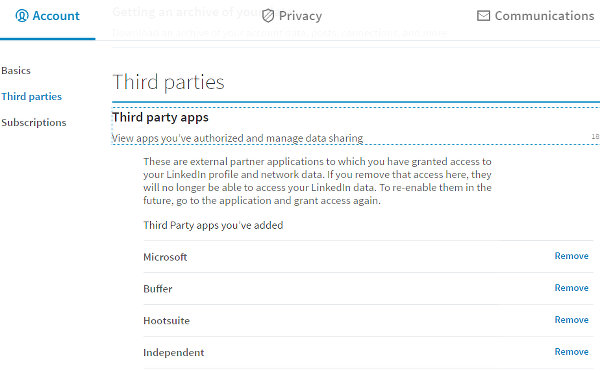
A list of apps is displayed and there is a Remove link on the right. Remove any apps that you no longer use.
Review Google app permissions
- Go to the Google home page and click your profile picture
- Click the My Account button
- Click Connected apps & sites under Sign In & Security
- Click Manage Apps under Apps connected to your account
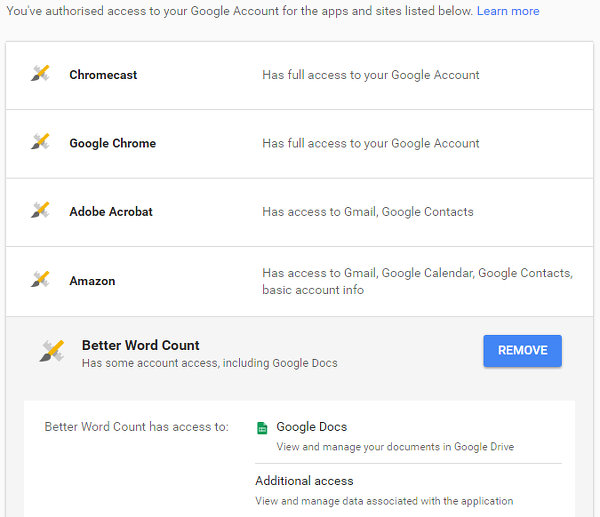
This displays a list of apps. Click an app to see what permissions it has and to reveal a Remove button. Remove anything that is not being used.
Be the first to comment