
Free
Reset your PC and clean install Windows 10 to solve problems
It has been a while since Windows came on a DVD disc and this makes it hard to perform a clean install of the OS. How do you erase everything and start with a fresh […]
It has been a while since Windows came on a DVD disc and this makes it hard to perform a clean install of the OS. How do you erase everything and start with a fresh […]

There is a search box at the top of Google Drive for finding files, but are you using it effectively? If you can’t find the files you want, try these advanced search tips for Google […]

GIMP is one of the best free photo editing applications and it has a great range of features. It can be extended even further by adding plugins and here is a free one for optimising […]

Do you post images on Pinterest, Twitter, Facebook, your blog or website? What do you use to create them? If you are not using Pablo, you are missing out on a fantastic resource. It’s superb.

One of the most common errors experienced when browsing the web is the dreaded 404 error. Well Firefox just fixed it and broken websites have just become a thing of the past.

Do you need antivirus software or a full security suite on your Windows PC? What will happen if you choose not to run antivirus or antispyware software? Is it dangerous not to use security?

Right click the Firefox icon in the taskbar and you should see a jump list, which is a menu containing useful items. Sometimes though, it just isn’t there. What’s going on and how do you […]

File History is a type of backup utility that is built into Windows 10 and 8. After using it for some time you might find that the backup disk is full. What can you do? […]

VirtualBox is a great application for running various operating systems in a window on the desktop. However, the performance is sometimes not so good. In fact, it’s rotten. Why? Here is one solution you may […]

Got a virus? Restart in safe mode and run antivirus software. Got spyware or adware? Run a removal tool in safe mode. Got a problem? Fix it in safe mode. Starting in safe mode used […]

Suppose you receive a Word document that contains images and you want to save the images as separate files on the disk, perhaps to use them elsewhere. Suppose you created a document a long time […]

Many people spend hours each day staring at a computer screen and if the display is not perfect it could lead to tired and sore eyes. It might even give you a headache. You can […]

Are you experiencing problems with your home Wi-Fi network? Do you have difficulties connecting to Wi-Fi hotspots when you are out with your laptop? There are some useful free utilities that can help you to […]

We spend a lot of time in web browsers searching for information such as news, hobbies, research projects, work and so on. Anything that can make searching quicker and easier is welcome and here is […]

Right from the start, the internet was very slow today. Instead of the fast responsive world wide web, pages were appearing noticeably more slowly in the browser window and some websites were even producing errors. […]

Windows has a built in search engine that can be used to find documents, apps, settings and other files on the disk drive. It is actually quite good at finding Windows settings and apps, but […]
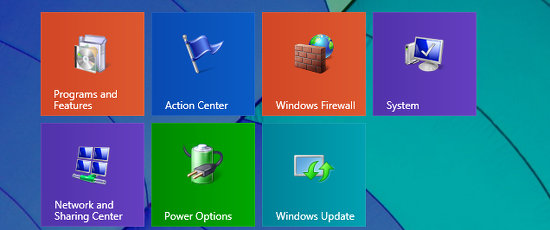
The Control Panel provides access to a lot of Windows configuration settings and it is frequently accessed. It is on the Start menu in Windows 7, but you must right click the Start button […]

Uninstalling Windows software using Programs and Features in the Control Panel frequently does a poor job of removing all the files and settings. It is not Windows fault and the uninstaller is provided by […]

Uninstallers have been provided with software for 15 years or more, but even though it is old technology and you might expect programmers to have mastered it, some uninstallers still don’t fully remove software. […]

Everyone has problems with their computer from time to time and as they become more complicated, they become harder to fix. Windows is looks very simple on the surface and is easy to use, […]
© 2018 R.A.Waddilove