
TikTok is so frustrating at times. If you are seeing videos in your feed that you do not want, reset the algorithm for a clean start and filter unwanted videos. Make TikTok great again.
The algorithm that TikTok uses to select the videos it shows you in your feed is very sensitive. Pause for a second on something and it seems to notice and show you more. Very soon it seems like every other video is showing that topic.
It could be anything from food videos, to cat videos to travel, to dancing, or bad joke telling. It can be fun once, maybe twice, but when you are blasted by them all the time in your feed you just want to leave TikTok.
Don’t quit! There is a solution! Clean up your video feed and you might start enjoying it all over again. I am using an iPhone for the screenshots, but this works on an Android phone too.
Reset TikTok algorithm
TikTok’s algorithm is well known for quickly picking up on what people like, but sometimes it goes wrong. If it not showing you enough of what you want, here’s how to reset it.
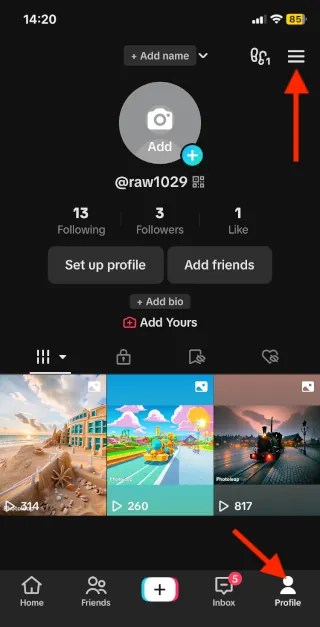
Open TikTok on your phone , and press the profile button in the bottom right corner of the screen. Then press the menu button at the top of the screen.
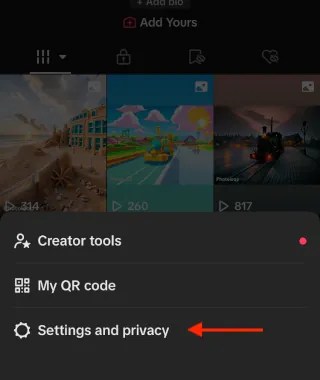
A menu appears at the bottom of the screen. Press the Settings and privacy option to continue.
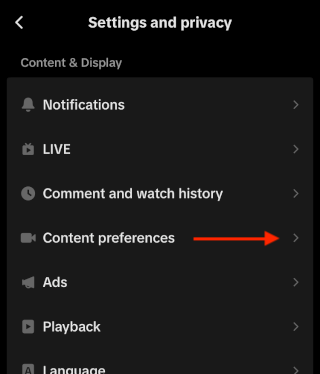
A long list of items appears on the next screen. Look for the Content & Display section and then press Content preferences.
There are two items here that are important and I will come back to Filter video keywords in a minute. First, let’s look at Refresh your For You feed. Press it.
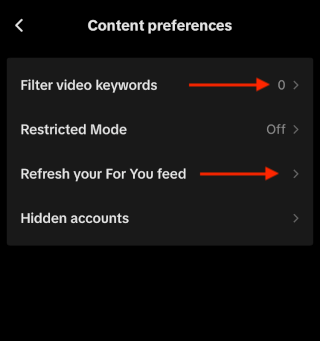
You might think that this just fetches new content, but it does more than that. It resets the TikTok algorithm and this means that it treats you like a brand new user who has just opened the TIkTok app for the first time. However, it does not affect who you follow, your profile, inbox and other things. It just affects your feed.
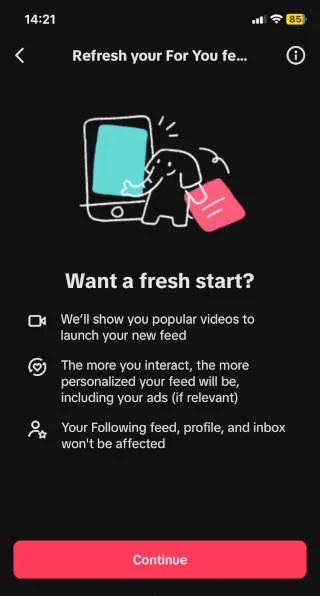
When you next look at your feed, it will show you popular content and try to work out what you like. What it previously thought you liked is forgotten and this is a clean start. Go ahead and click the Continue button.
You will be asked for feedback on why you reset the algorithm, and you can select from a series of options, like irrelevant content, repetitive content, curiosity, and so on. Tick one or more and press Submit. It’s done.
Filter unwanted videos from TikTok
Return to Profile > Settings and privacy > Content preferences and this time select Filter video keywords. We saw the option in screenshot 4.
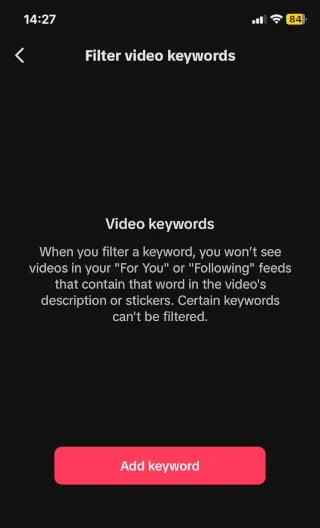
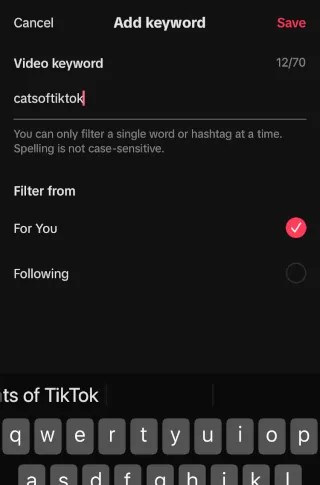
Press Add keyword and then enter the keyword or hashtag you don’t want to see. Let’s say you don’t like cat videos. Enter ‘catsoftiktok‘, select For You and/or Following and then press Save in the top right corner of the screen.
The keyword filter is added. Notice that there is a trash icon to the right and this can be pressed to remove it if you change your mind.
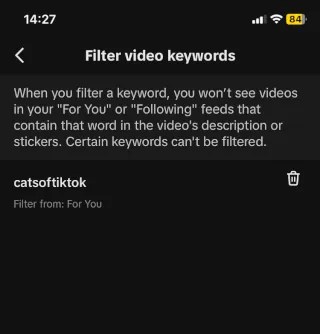
This only looks for one keyword and if you really don’t like cats, or whatever subject you don’t want to see on TikTok, you will most likely need to add several more keywords because you don’t know which ones will appear in a video. In this case you would add ‘cat‘, ‘cats‘, ‘cutecat‘ and more.
It’s not perfect because a video can be posted without descriptive text, but it does help to reduce the number of videos on a topic you don’t like.
With an algorithm reset, clean start and blocking keywords you don’t like, you can view your feed and start al over again.
 RAWinfopages