
Microsoft provides web versions of Word, Excel, PowerPoint and other Office apps. The are useful tools, but are there alternatives? Yes, there are great ones. Here I take a look at some of them.
Go to onedrive.com or office.com and you have access to Word, Excel, PowerPoint and several other office work apps for free. They run in a browser and while they don’t provide every feature of the Microsoft 365 software, (or Office as it used to be called), installed on a computer, for light users, they are probably all that is needed.
You can write documents, create presentations, and analyse data and finances in a spreadsheet. All in a web browser without installing any software on the computer. You don’t need a powerful computer, it can be a Windows PC, Apple Mac, Linux or Chromebook. It doesn’t even need to be your own computer. All you need to acess these apps is a web browser.
Microsoft’s web apps are not unique and there are alternatives, some of which are very good. I tried three alternatives that can be used for free in a web browser to create office documents. You get more online storage, more features and more apps if you take out a subscription, but like Microsoft 365, if your needs are not too demanding, the free web apps are fine.
Polaris Office
Polaris Office provides three useful office applications that run in a web browser. There is a word processor called Web Word, a spreadsheet called Web Sheet and a presentation app called Web Slides.
All are free and they can be used without signing in, creating an account or paying. However, There are benefits to creating a free account and even more benefits with a paid subscription. I am using a free account.
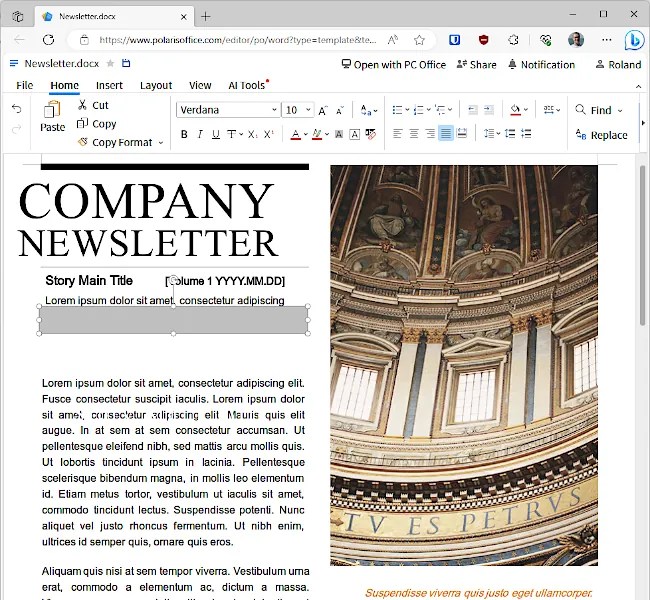
When the Web Word app is opened, I immediately thought, am I in Word? It just looks so similar to Microsoft’s web app. When you explore the features, you find some differences, but I do wonder whether it is a customized version of Word. It’s similarity to Microsoft’s web app means that anyone that has used Word will be immediately at home with Polaris Web Word.
There are templates to get you started, 10 fonts, tables, pictures and shapes can be inserted, some useful layout options for positioning objects, and one and two-page view options.
If you are stuck for words, Chat GPT 3.5 and 4.0 can generate articles for you. Select AI Tools in the toolbar, click AI Write in the toolbar and a panel opens on the right. It responded in Korean when I tried it, but you just tell it to translate it into English. Credits are required to use AI features and I got 100 for free. Subscription tiers offer monthly AI credits.
Web Sheet is is the Polaris Office equivalent of Excel. It is not exactly the same, but it is so similar that you will be able to start using it straight away. It loads and saves .xlsx files, but don’t expect every Excel feature, function and formula to be supported. Web apps, even Microsoft’s, only provide a subset of what is available in the computer-based software.
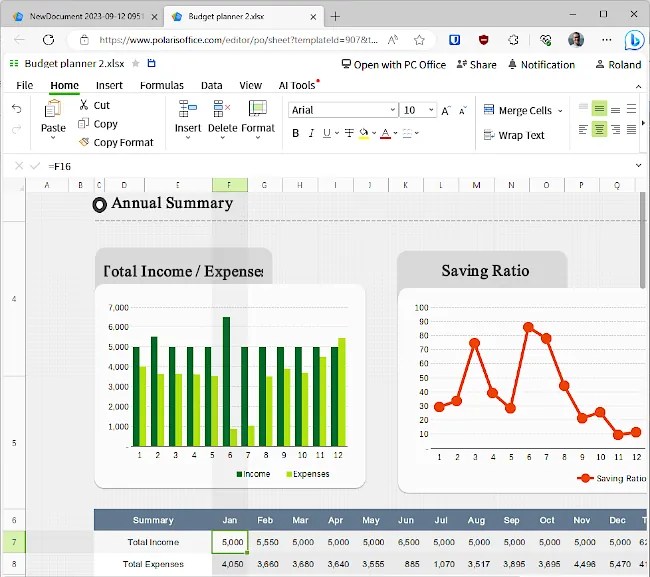
Pictures, shapes and various types of charts can be inserted into spreadsheets, like column, bar, line, area and pie. AI tools are available and can provide help. Web Sheet is fine for simple, basic spreadsheets like managing budgets, tracking sales, and so on.
Web Slides is the Polaris Office version of PowerPoint, but it is much less powerful. Comparing Web Slides and PowerPoint is like comparing Notepad and Word. There is a huge difference in features. However, just as Notepad is useful for simple text editing tasks, Web Slides can be useful when all you need is a simple set of slides with text, tables, and images.
All the Polaris Office web apps download standard Microsoft Office files, so you can create and save .docx, .xlsx and .pptx to your computer, but you can also save them online in Polaris Drive. The amount of online storage you get depends on the subscription. You do get some with a free account though.
Overall, it is a good online office suite for lightweight tasks and it is a good alternative to Microsoft Office web apps.
WPS Docs
WPS Docs is an online version of WPS Office software and you can sign up and get access to WPS 365 for free. You get an online drive with 1 GB of cloud storage, Docs word processor, Slides presentations, Sheets spreadsheets, and PDF editor. Additional features and extra online storage are available for Pro and Business subscribers, including a Teams app.
Log in and it shows your workspace with tiles to create apps and a list of recent, stared, shared or received files. It looks modern and is very attractively designed. I like the look.
Create a new Docs document and it opens in a new tab. At the top are two menu bars and it looks very different to Microsoft Word web app. WPS does things its own way rather than try to copy Microsoft.
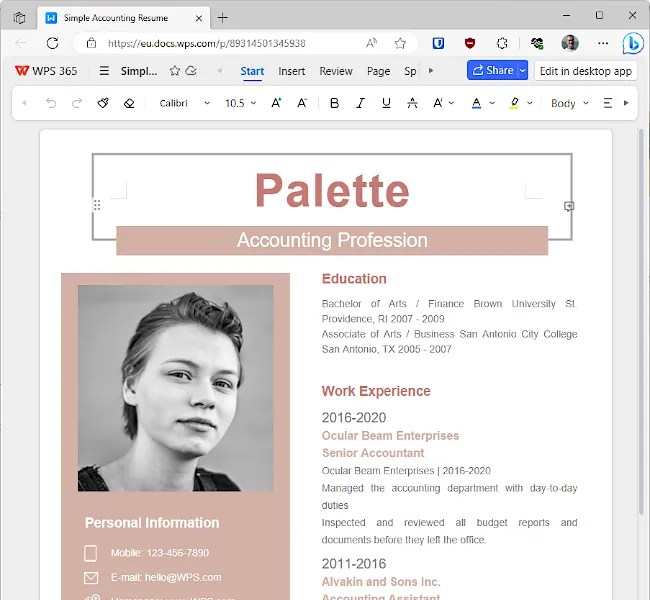
All the usual text formatting options are available and a limited number of styles like Body, Title and so on. Tables, pictures, shapes, links, signature, symbols, divider, and other items can be in can be inserted into documents. There are collaboration features and on the Review menu you can highlight collaboration content, add comments and more.
Microsoft Word web app does more, but WPS Docs is pretty good for an online word processor that works in a browser. Files can be saved in your online storage or downloaded as .docx files.
Sheets is the WPS 365 version of the Excel web app and it uses the same menu structure as Docs. There are the two menu bars, but also a third bar for entering cell contents and formulas.

There is more than you might expect in a spreadsheet web app and it has pivot tables, checkboxes, drop-down lists, pictures, comments and a collection of charts of various types. It does not do everything Excel on the computer does, but it does enough for simple spreadsheet tasks and it reads and writes .xlsx files.
Slides is also pretty good for a web app and it has a good range of features. You can create slides, insert text boxes, pictures, shapes, spreadsheet tablts, audio and video, symbols, QR codes and more. Objects can be animated too, like entrance and exit animations.
A few templates come with Docs, Sheets and Slides and they are good for showing you what is possible with these web apps. You can create some nice documents with them. I like WPS Office a lot. The web apps running in a browser have as many features as desktop software not so long ago. I think you will be surprised by the range of features available.
OnlyOffice
OnlyOffice is an office suite of apps that is heavy on features, collaboration, security and privacy. Go to the home page, scroll right down to the bottom and there are solutions for SMBs, enterprises, government, healthcare and more. These organisations can run the OnlyOffice on their own internal server and lock it down for maximum security and privacy.
Select Home Use in the bottom left corner of the home page and you can create a pretty good free Startup plan and use the word processor, spreadsheet, presentations and forms web apps for free in a browser. This is what I am using. You get 2 GB of online storage, up to three users, and 12 rooms.
A room is what other online services would call a workspace. You could create one for each work project, have work and personal rooms, or whatever you want. Use them on your own or invite other users to them.

Create a new document and the OnlyOffice word processor opens in a new tab. It is similar to Word and selecting menu displays all the controls on a ribbon, Word-style. There are differences, but it is so similar to Word you will be at home straight away.
The word processor has an impressive collection of features. Software installed on a computer does more, but it is surprisingly powerful for a web app running in a browser. For example, you can insert tables, images, charts, shapes, SmartArt, comments, drop-cap, equations, symbols and more.
Collaboration features are comprehensive, macros can be created, and documents can be password protected or encrypted. It is pretty amazing being able to do all this in a browser. Documents can be saved online or downloaded in 15 different formats, including .docx of course.
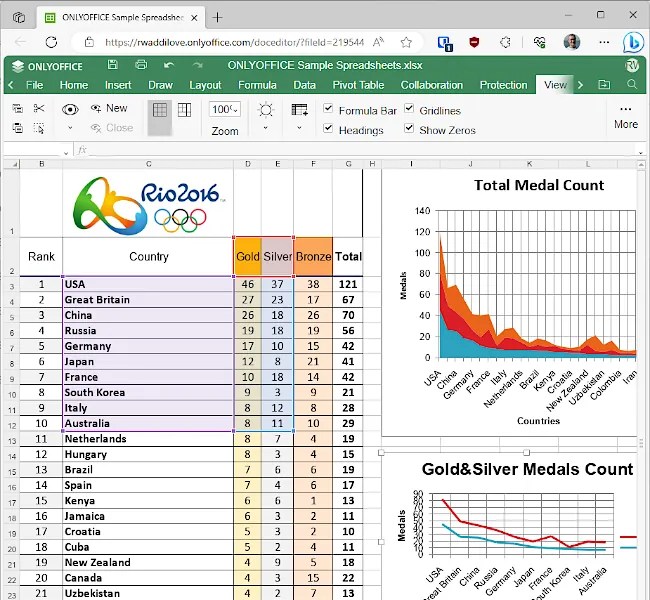
The spreadsheet has the look and feel of an old version of Microsoft Excel on your computer. It has an extensive range of features, collaboration, and protection. There are too many features to list, so here are just a few highlights. It has PivotTables with buttons for report layouts, sub and grand totals, sparklines, SmartArt, nearly 40 chart types, comments, equations and more.
The presentations app is the OnlyOffice version of PowerPoint and like the other apps, it is packed with features you would not expect to see in an app running in a web browser. For example, it has transitions, animation, collaboration, comments and chat, plugins, macros and more.
OnlyOffice is a feature-rich alternative to Microsoft web apps. It is as powerful as Microsoft Office desktop software from a few years ago, but it runs in a web browser. Enterprise, Family and free Community server editions can be installed on your own Linux server for those that want total control. I just used a free online account – no software, no server, no fee, no configuration.
Conclusion
I like Microsoft 365 web apps a lot and Word, Excel and PowerPoint are good tools for light work or occasional use. If for whatever reason, you don’t want to use Microsoft’s online storage and web apps, all three of the services I tried are good.
I liked Polaris Office and it has AI built in, which could be useful, but WPS 365 has good collaboration features that enable multiple users to work on the same documents.
For features, security, privacy, and options for using web-based office apps, OnlyOffice is excellent. There is something in it for everyone, from an occasional home user with a free online account to large companies purchasing OnlyOffice server to run on their own hardware.
 RAWinfopages